
The Ultimate Guide to What is fixturing
Posted by RMT on Oct 25th 2026
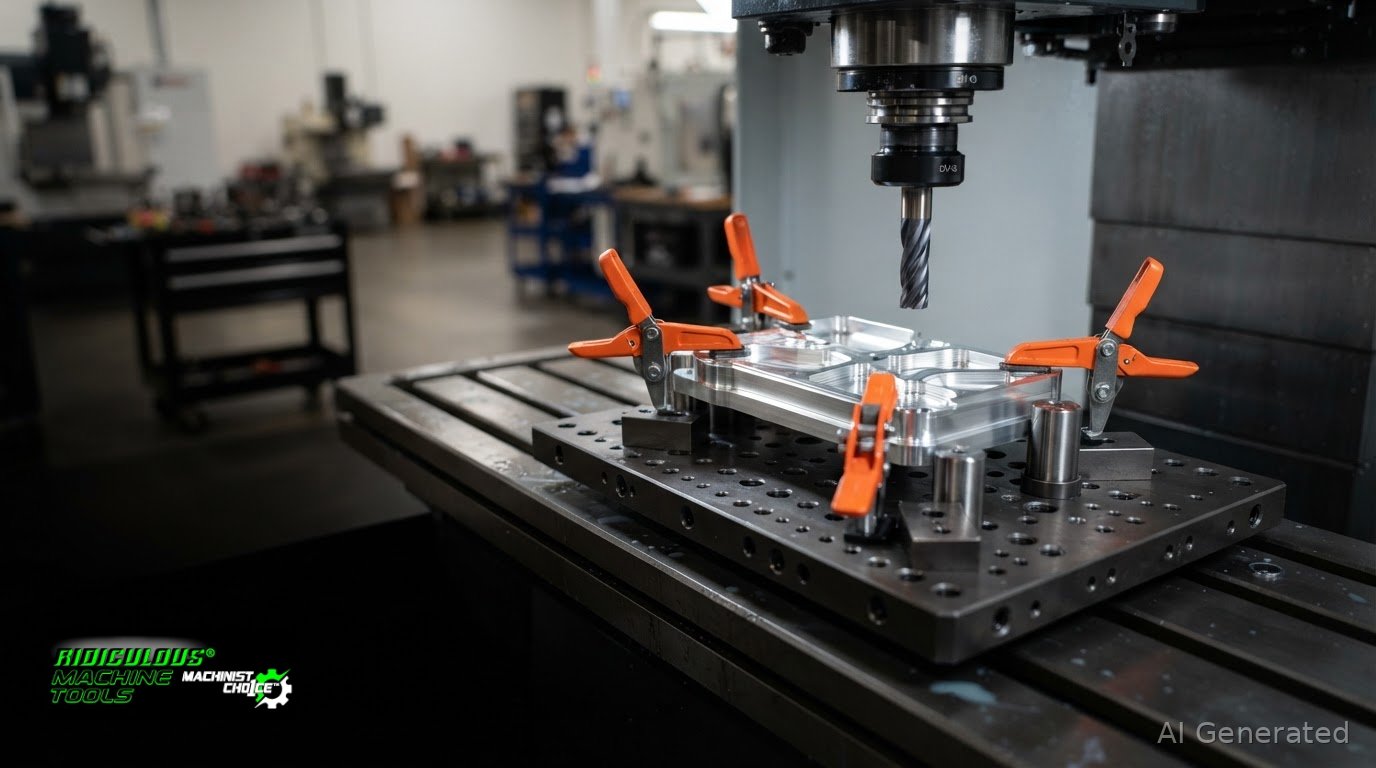
What is fixturing? It is the planned location, support, and restraint of a workpiece so it stays in a defined, repeatable position during machining or another operation. This guide explains how those functions work together, how fixtures differ from jigs, and how to choose workholding components for the job.
A clamp can hold a workpiece down without locating it correctly. Locators establish position, supports resist operating loads, and clamps restrain the part. A fixture coordinates these functions, while a jig also guides a tool, often through a bushing.
In this guide:
- What Is Fixturing in Machining? Define the Workholding Function
- Fixture vs. Jig: What Changes in a Machining Setup?
- How to Apply Fixturing Principles to a Real Setup
- Choose Workholding Components That Match the Fixturing Task
- Frequently Asked Questions
Key Takeaways
- Fixturing is the workholding method; a fixture is the physical device or assembly that carries it out.
- A fixture holds and positions the workpiece. A jig also guides the tool.
- Build a repeatable setup by identifying datums, locating the part, supporting it, and then restraining it.
- Choose vises, chucks, collets, fixture plates, and clamps based on part geometry, operation, tool access, and repositioning needs.
What Is Fixturing in Machining? Define the Workholding Function
Fixturing is the method of locating, supporting, and holding a workpiece in position during an operation. In machining, the term refers to the setup process and its workholding logic. A fixture is the physical device or assembly used to carry out that method. It may include locators, supports, and clamps, each with a distinct role.
This distinction matters on the shop floor. A clamp can restrain a part, but clamping alone does not establish its position or support it beneath a cutting load. A fixture coordinates those functions so the workpiece sits in a known orientation and remains secure during the operation. The general manufacturing definition in Fixture (tool) provides additional context.
What does a fixture do to a workpiece?
Location establishes the workpiece’s intended position and orientation relative to the machine or operation. Datums and locating surfaces provide consistent references. Support backs up the part where operating loads could cause it to deflect or shift. Restraint keeps the part seated against its locating and support features. Applying more clamp pressure does not replace either location or support.
Manual toggle clamps can provide restraint as components in a suitable fixture. Their holding capacity and mounting requirements vary by model, so select a clamp that suits the task and installation. Manual toggle clamps are available in different configurations for applying restraint, but a clamp by itself does not locate or support every workpiece.
Why does repeatable fixturing matter?
A repeatable setup places successive parts in a consistent relationship to the tool path. That helps maintain predictable feature locations and tool access, while secure restraint helps limit unintended movement during the operation.
For example, in a milling setup, locating a plate from its datum surfaces and supporting it beneath the cutting area gives the cutter a consistent reference. In drilling, a repeatable position helps keep a hole pattern aligned to the chosen datum. The exact arrangement depends on the part and operation. The goal is to position the workpiece deliberately, support it where needed, and restrain it without obstructing the tool.
Fixture vs. Jig: What Changes in a Machining Setup?
A fixture locates and holds the workpiece while the machine guides the cutting tool. A jig performs those workholding functions and also guides the tool, often through a bushing. The practical distinction is what the device controls, not simply whether it holds a part.
| Device | Purpose | What it controls | Representative use |
|---|---|---|---|
| Fixture | Position and restrain the workpiece | Part location and orientation | Holding a component for CNC milling |
| Jig | Hold the workpiece and guide the tool | Part position plus tool path at the work surface | Guiding a drill through a bushing |
These terms describe function rather than a rigid naming rule. A device can combine features, and shop terminology may vary. To identify its role, check whether it only holds the part or also physically directs a tool toward the work.
When is a workholding device also a jig?
A workholding device adds a jig function when it guides a drill or cutter during the operation. For example, a plate with a guide bushing can locate a part and direct a drill to a specified position. A fixture without that guide holds the part, while the operator or machine establishes the tool path. The device’s actual function is the useful distinction.
Does a CNC setup still need a fixture?
Yes. CNC control defines tool motion, but it does not establish the workpiece’s position or restrain it against machining loads. The fixture provides the part-side reference. Keep that separate from toolholding: a spindle toolholder secures the cutting tool in the spindle; it does not fixture the workpiece. Manual toggle clamps can serve as clamping components in a suitable setup, but they are not a complete locating system.
How to Apply Fixturing Principles to a Real Setup
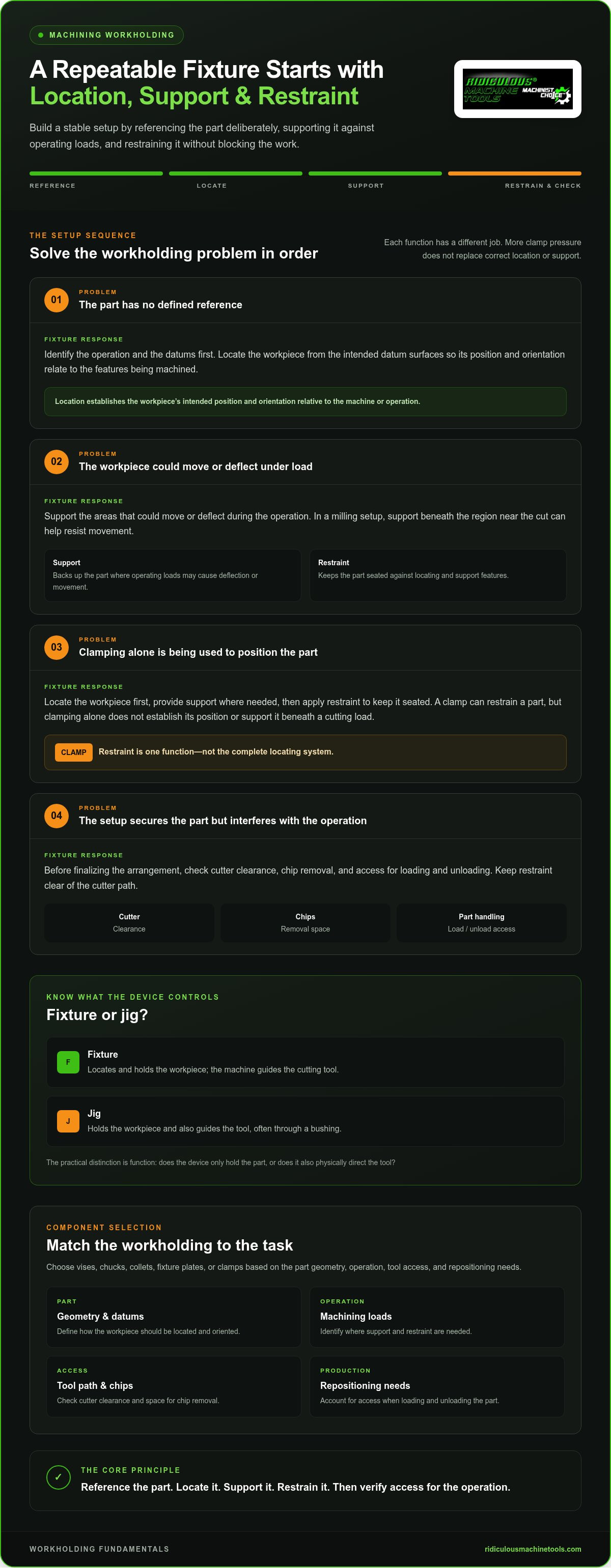
Turn fixturing principles into a setup decision by starting with the operation and part references. The part’s shape, the surfaces being machined, and the loads created by cutting all affect where it needs location, support, and restraint. Check tool access and chip flow before finalizing the arrangement.
- Identify the operation and datums. Note which features will be machined and which part references establish their position.
- Establish location. Seat the workpiece against locating features that reference those datums and control its orientation.
- Provide support. Back up areas that could move or deflect under the operation’s loads.
- Apply restraint. Secure the part against its locators and supports, then check cutter clearance, chip removal, and access for loading and unloading.
How do datums guide workpiece location?
Datums are the references used to define a part’s position and orientation for manufacturing. Locating from the intended datum surfaces ties the setup to the features being produced, rather than placing the workpiece wherever it happens to sit. For a plate that uses a specified edge and face as references, locating from those surfaces gives the setup a consistent basis for machining related features.
How should support and restraint work together?
Support backs the workpiece where operating loads could cause movement or deflection. Restraint keeps the part seated against the locating features. In a milling setup, a support beneath the region near the cut can help resist movement while a clamp holds the part down. Position the clamp clear of the cutter path and leave space for chips to escape. Select clamping hardware for the application and mounting arrangement, since capacity varies by model.
For a setup that needs manual clamping hardware, compare manual toggle clamp configurations by their mounting requirements and specified holding capacity.
Choose Workholding Components That Match the Fixturing Task
Choose components based on the part’s shape, the operation, cutting access, production quantity, and any repositioning between features. For a short run, general-purpose workholding may simplify changeovers. Repeated production may benefit from a configuration that makes loading consistent. In either case, confirm that the arrangement fits the part and leaves the working area accessible.
- Vise: Holds parts between jaws. Jaw shape and opening affect which workpieces it can accommodate.
- Chuck: Grips work suited to the machine and chuck interface, often for turning operations.
- Collet: Holds compatible cylindrical work or tooling within its specified diameter range.
- Fixture plate: Provides a mounting surface for workholding components and repeatable setup arrangements.
- Clamp: Applies force to secure a part against the other elements in the setup.
These devices are not interchangeable. Choose based on the workpiece and operation, then consider changeover time, tool clearance, and how the part will be loaded for each cycle. For operations requiring custom mounting plates, brackets, or locating templates, Velocity Sheet Metal provides precision sheet metal fabrication and custom laser cutting services to support specialized setups.
Where do toggle clamps fit in workholding?
Manual toggle clamps can suit setups that call for quick, repeatable manual engagement. Horizontal, vertical, latch, and push-pull configurations differ in how they mount and apply restraint. Match the clamp arrangement to the available space and workpiece access, then use the applicable product information to assess model-specific capacity and mounting requirements.
What should you check before selecting a clamp?
Check the selected model’s holding capacity, mounting requirements, and configuration against the actual setup. For low-profile hold-down applications, handle position and clearance can affect access around the workpiece. Leave room for loading, unloading, tool movement, and chip removal.
Put the Workholding Decision to Work
Start by identifying the feature or operation that sets the workholding requirements. Then assess how the part will load, where the tool needs access, and what could interfere with chip removal or repositioning. This turns fixturing into a practical review of the job before the machine cycle begins.
Choose clamping hardware after the setup’s locating and support needs are clear. Ridiculous Machine Tools offers horizontal, vertical, latch, and push-pull manual toggle clamp configurations. Compare the product information for the model’s holding capacity and mounting requirements, since specifications vary. A suitable clamp can restrain a workpiece as part of a complete workholding arrangement.
Define what the workpiece needs, then select components that serve those functions. Browse Ridiculous Machine Tools’ manual toggle clamps to compare configurations for your workholding setup.
Frequently Asked Questions
Can a vise be considered a fixture?
Yes, a vise can function as a fixture when its jaws and setup locate and hold the workpiece for the operation. A standard vise may also need parallels, stops, or other locating elements to set height or position. If the part is loaded differently between cycles, the vise alone may not reproduce the intended setup. Assess the complete arrangement, not just the device name.
Does every machining operation need a dedicated fixture?
No. Standard workholding can be sufficient when it locates the part securely and leaves access for the tool. A dedicated arrangement can help when part geometry, feature relationships, repeat loading, or restricted access make a general-purpose setup awkward. Decide based on the operation’s requirements and the consistency needed between setups.
Can one fixture be used for more than one part or operation?
Yes, if its locating and clamping features accommodate each part and operation. A modular plate or adjustable setup may serve different jobs, but each configuration needs a defined loading position and adequate tool clearance. For a second operation, confirm that the workpiece can be re-established from the intended references. A fixture that holds one part securely may not position another part correctly.
How does fixturing affect repeatability in CNC machining?
Fixturing helps each CNC toolpath start from a consistent relationship to the workpiece. If a part shifts or sits differently after reloading, programmed coordinates act on a changed setup, which can move features relative to the part’s datums. Fixturing does not correct machine, tool, or measurement variation, but a repeatable setup removes one source of positional variation from the process. In modern manufacturing environments, maintaining consistent fixturing is also essential when connecting machining cells with industrial AMR AGV automation solutions for streamlined material handling and part transfer.
What is the difference between a toggle clamp’s holding capacity and clamping force?
Holding capacity is the manufacturer’s specified capacity for a clamp. Clamping force is the force the clamp applies to the workpiece in a setup. They are not interchangeable terms. For a specific application, review the clamp’s stated capacity and mounting requirements, then assess how its geometry and installation affect engagement with the workpiece. A capacity rating does not describe the force applied in every setup.
Article by
Ridiculous Machine Tools Technical Team
The Ridiculous Machine Tools Technical Team provides practical information about precision machine tooling, CNC tooling, workholding, and related manufacturing applications. RMT focuses on helping machinists, manufacturers, fabricators, and other customers understand tooling specifications, compatibility, selection, and proper application. Our technical content draws on product specifications, industry knowledge, and RMT's quality-control experience to provide clear, useful information for selecting and using machine tooling and workholding products.
Ridiculous Machine Tools — Machinist's Choice™